Benefits of Fiber Optic Technology

by http://www.fiber-mart.com

Advances in communication technology have led to the introduction of a new means of communication that is not only faster, but also more efficient and lighter on the environment. This technology, known as fiber optics, has greatly increased the speed at which people can now communicate. Let’s take a closer look at some of the advantages of fiber optic technology and what makes it the best means of communication.
Immunity
For one, fiber optics is immune from electromagnetic interference. This means that the signal that is sent from one end is the exact same one that is received on the other end. Other factors such as lightning and heavy industries emitting waves have no effect on fiber optics signals, making the technology a very conducive means of communication. Fiber cable signals cannot be interfered with by signals from outside, making them great for sensitive information.
Secure communication
Given the fact that fiber optic cables use light instead of electrical currents for communication, they are more secure when used in communication. It is very difficult to do a fiber optic equivalent of a wiretap since there is a great deal of information that flows through these cables. Fiber optics is much more secure, and when it is used for communication, the information that is passed is protected from tapping by malicious users.
Cables are non-conductive
Fiber optic cables are made of glass or plastic. Both of these materials do not conduct electricity, so they cannot be interfered with using electrical currents. If lightning strikes a fiber optic cable, nothing is distorted in the cable, and communication goes on as usual. This makes fiber optic technology an excellent means of communications, especially in areas where lightning and other natural hazards are common.
Easy to install
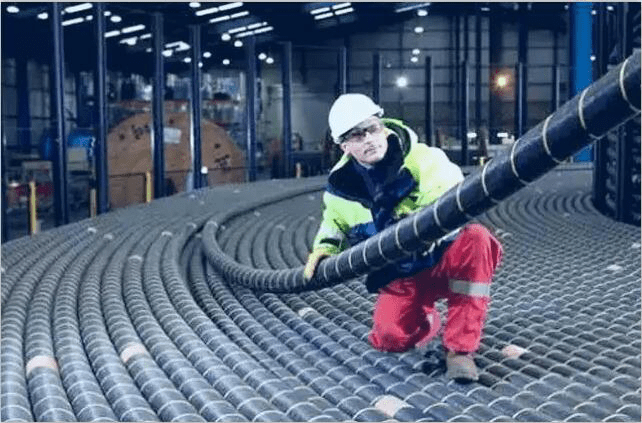
Given the fact that fiber optic cables are just a fraction of the weight of traditional copper cables, they are extremely easy to carry from one location to the other and also easy to install. They need less manpower to install, which means smaller installation costs. The ease of installation also makes the deployment of fiber optic networks easy and much faster. Since fiber optics are lighter, it is very easy to carry them around during the installation process. Leaving them out in the open at night does not expose them to rust and other environmental factors that are experienced by traditional copper cables.
High bandwidth
Since fiber optic cables use light to transmit signals, a lot more information can be carried through the cable. This increased bandwidth can now be used for more efficient communication and transfer much more information. The increased bandwidth means that people can download files much faster and communicate more efficiently.
As you can see, fiber optics technology has made it easier for people to access the internet with a high bandwidth and to get access to information globally.

Fiber Optic Terminology

by http://www.fiber-mart.com

Fiber optic is a technology used in the transmission of telephone, internet, and cable television signals. During transmission, this signal is usually in the form of light within the carrying medium. This technology is becoming very popular nowadays because of its advantages: It has very low loss of signal during transmission, it does not have ground currents, and it carries high capacities of data.
Some technical terms are associated with fiber optic technology. The following are some of these terms and their meanings:
The first term is analog to digital converter, which is commonly referred to as ADC. An ADC converts analogue (continuous) signals into digital (discrete) signals. This conversion is usually very important in the transmission process.
Another important fiber optic term is absorption, which is the loss of part of a signal being transmitted due to its conversion from an optical form into heat. Such losses are usually very minimal in optical transmission and are caused by impurities with the transmitting medium.
Next, an active device is one that can only operate if it is supplied with some power. Moreover, it usually has an output that depends on signals within the transmitting medium at an earlier stage before getting to the device. An example of an active device is an amplifier. An amplifier is a device that increases the strength of an optical signal in order to minimize absorption effects. An amplifier is usually placed between a transmitter and a receiver.
A receiver detects and converts optical signals at the end of a transmission line. This device also converts a signal from its optical format to an electrical format. A device that complements a receiver is the transmitter. It is found at the source of a signal and has driving capabilities in order to ensure that signals are sent to their intended destinations. One of its main functions is to convert electrical signals into an optical format. Another important term in fiber optic communication is channel. It refers to a path that signals follow from a transmitter to a receiver.
Associated to a channel is the term channel coding. Channel coding is a technique used in maintaining the integrity of data being transmitted, which is achieved by encoding of the data and error correction.
The material used to transmit optical signals usually has cladding. Cladding is the material that surrounds the part of fiber optic cables that carries signals (core). Cladding has to have a lower refractive index than the core in order to enhance internal reflection. Internal reflection is important to ensure that an optic signal remains within the core during its transmission. Refractive index is a number associated with materials’ ability to allow light to pass through them. It is a ratio of light’s velocity within free space to its velocity within a certain material.

Comparing 40G &100G Transceivers modules

As things stand, the trend for high-speed data transmission and high-bandwidth is overwhelming.

As things stand, the trend for high-speed data transmission and high-bandwidth is overwhelming.

now, whether you believe it or not, prepared or not prepared, 40G and 100G have already on the way. To upgrade to 40G or skip it and directly migrate to 100G has become a question for many data center mangers and IT engineers

The growth in 100G comes at the expense of 10G and 40G interfaces. Infonetics says that 10G in carrier networks “is beginning a long decline after an epic 15-year run.”Meanwhile, the market for 40G is “vaporizing,” according to the market research firms.“40G transceivers are ramping up hard as data centers deploy 40GbE, particularly as a high-density 10G interface via breakout cables. 40G QSFP demand growth over single-mode fiber is primarily a result of large shipments to Internet content providers Microsoft and Google,” said Andrew Schmitt, research director for carrier transport networking at IHS Infonetics.

40G and 100G Transceiver Technical Features

40G and 100G have two main types in the data center. Short reach (SR4) for ~100 meters transmission on multimode fiber and Long Reach (LR4) for 100 meters to 10km using single-mode fiber. We can use SR/LR transceivers to connect compute clusters and various switches layers in data centers. 40G transceivers are typically deployed as four 10G lanes in QSFP or CFP MSAs. 40G SR transceiver uses 8 multi-mode fibers, VCSEL lasers, and the QSFP MSA. Using edge-emitting lasers and multiplexes the four 10G lanes onto two single-mode fibers, 40G LR4 reach a 10km distance per CFP MSA, CFP/2 or QSFP28 MSAs. The 40G SR4 and LR4 transceivers can be used in the same QSFP switch port without any issues.

40G,In today’s market, 40G products mainly include 40GBASE-SR4 and 40GBASE-LR4 QSFP+ modules and 40G AOCs. QSFP+ supports both 40G links between racks and high-density 10G links within the rack, especially the 40G QSFP+ breakout AOC which is an ideal solution for 40G migration.“40G transceivers are ramping up hard as data centers deploy 40GbE, particularly as a high-density 10G interface via breakout cables. 40G QSFP demand growth over single-mode fiber is primarily a result of large shipments to internet content providers Microsoft and Google,”said Andrew Schmitt.

40

100G SR10 transceivers use 20 multi-mode fibers, VCSELs and the CXP MSA, the 100G LR4 transceivers uses CFP form and 2 single-mode fibers.The market for 100G data center optics is accelerating, but it has yet to be turbocharged by widespread data center deployment in the way 40G QSFP optics have.

The market for 100G data center optics is accelerating, but it has yet to be turbocharged by widespread data center deployment in the way 40G QSFP optics have.The data center likely will be the engine of any overall growth in optical transceiver sales over the next several years. Data centers now represent 65% of the overall telecom and datacom market for 10G/40G/100G optical transceivers. 100

100G is ready here. Tens of thousands of 100G Ethernet links deployed in core routers and carrier switches. Vast majority are CFP modules and CFP2 deployments are now starting. In addition,100G is rapidly expanding. For instance, new optical standards for the data center (100G SR4, CWDM4, PSM4) and new higher density 100G module form factors like CFP4 and QSFP28 are on the way. High port-count 100G switches are being designed and many 100G modules will be used to support high-density 10G and 25G. It is said that 100G and 4x 25G deployments are expected to grow substantially starting in 2015. 100G products mainly include 100GBASE-SR10 and 100G LR4 CFP/CFP2/CFP4 and 120G AOCs. Additionally, QSFP28 as the 100G module form factor of choice for new data center switches is also launched.

If you ask me why 40G Ethernet will be obsolete? The short answer is “cost”. From the technical point, The primary issue lies in the fact that 40G Ethernet uses 4x10G signalling lanes. On UTP, 40G uses 4 pairs at 10G each. Early versions of the 40G standard used 4 pairs, but rapid advances in manufacturing developed a 4x10G WDM on a single fiber optic pair. Each 40G SFP module contains a silicon chip that performs multiplexing so that the switch see 40 gigabits in and 40 gigabits out. It’s similar to Coarse Wave Division Multiplexing when using fiber. When you buy a 40G cable or QSFP, you are paying for the cost of the chip and software, plus the lasers, etc. When using 25/50/100G, the “lane speed” is increased to 25 gigabits per second. For 100G Ethernet, there are four 25G signalling lanes. It’s cheaper to buy 100G with four lanes rather than 40G with a four-lane MUX.

40G/100G transceivers development supports this growth with smaller module form factors for higher port density, lower power consumption per bit and lower cost per bit.

Fiber-MART offers several 40G and 100G Transceiver modules to support the transmission of very high-speed digital signals, providing a bandwidth of 40G or 100G, with distances reaching up to 40 kilometers. These include 40G CFP transceiver and 100G CFP transceivers as well as 40G QSFP+ transceivers. For more informations, you can visit www.fiber-mart.com.pls feel free to contact us for any question. E-mail : service@fiber-mart.com

How to Keep Fiber Optic Cables in Premium Condition

by Fiber-MART.COM

In any discussion about telephone systems, cable TV, or the internet, you are likely to hear the term “fiber optic cables” thrown in at least a time or two. The reason that fiber optic cables are such a common topic is the sheer number of purposes they serve. These services range from enabling telephone, cable, and internet systems to function. As if that doesn’t cover enough ground, medical imaging, mechanical engineering inspection, and sewer line inspection are some of the many applications that also rely heavily on fiber optic cables.
What are fiber optic cables?
Fiber optic cables are long strands of optically pure glass with about the diameter of a human hair. These strands are arranged in bundles and used to transmit light signals that are capable of carrying digital information over long distances. Given their obvious value, it is particularly important for fiber optic cables to be maintained and kept in the best condition possible.
Fiber Optic Cable Care and Use
Fiber optic cables are durable, but if mishandled or not cared for properly, they will become worn and damaged over time and the quality of their performance will suffer. Sometimes, it’s just as important to know what you shouldn’t do as it is to know what you should do. With that in mind, here are a few of the main dos and don’ts when it comes to handling and maintaining fiber optic cables.
When removing the connector, do not pull or twist the cable. Pulling on the cable may cause the optical fiber inside the cable to break, or remove the cable sheath from the optical connector.
Be careful when bending, folding, or pinching the optical fiber cable. Much like pulling the cable, excessive bending, folding, or pinching can break the fiber optic inside the cable. An optical fiber cable should have a bend radius of 30 mm or more.
Avoid hitting the end of an optical connector against any hard surface. Hard surfaces are not by any means limited to brick and concrete. Whacking the end of a connector on your desk or the floor can damage the end of the connector, degrade the connection, or lose the connection altogether.
Do not hang anything using a cable. This may sound obvious, but it can’t be stressed enough that hanging something by a cable can severely damage the inside of the cable.
Do not touch the end of a broken fiber optic cable. If a cable is broken, touching the end of it will do no good and may cause an injury by piercing the skin.
Keep optical connectors assembled. Disassembling the connectors may cause a part to break or lead to diminishing performance.
How to Store Fiber Optic Cables
Ideally, fiber optic cables should be stored inside, protected from the elements. The reel tag that comes with the cable should be kept so the cable’s origin can be traced in the future, if necessary. Fiber optic cable reels should be stored standing by or supported on both flanges. Sitting it one flange surface will cause strands of cable to gravitate toward one end of the reel. When the cable gathers at one end of the reel, the odds of it being damaged during the unwinding process increase exponentially. If you band your rolls of cable to pallets, the band you use should be placed through the hole in the middle of the reel. The flanges, not the cable package, should come in contact with the pallet. As we discussed, contact with any hard surface can be damaging to the cables.
Respooling Requirements for Fiber Optic Cables
There are a few simple rules when it comes to respooling cable. When choosing a reel size, ensure that it does not exceed the minimum bend radius of the cable. Also, when respooling the cable, make sure that it is evenly distributed evenly throughout the reel. Respool from and to the top of the reel, ensuring that the cable is snug on the respooler drum and that the cable is not being twisted as it’s being reeling up. Once you’re done respooling, allow a minimum of a 1 to 2 inches between the flange edges and the last cable wrap.
Conclusion
Fiber optic cables play a major role in our everyday lives, so it’s crucial that they’re kept in premium condition. By following careful handling, proper storage, and meticulous respooling practices, this is easier than it might seem.

Difference Between Composite and Component Adapters

by Fiber-MART.COM

When it comes to audio-visual cables that are used for video products within the market, there are two types that exist: composite and component. Although both of them are similar in many ways, such that they both use RCA connectors, there are also some key differences to be mindful of that will affect the type of cables that you plan to use, and, hence, the adapters that you will purchase. The type of device you use will also affect your choice because they are better suited to work with one type of adapter over the other.
Number of Connectors & Their Color
A composite adapter will come with three connectors: one yellow cable that is entirely responsible for analog video transmission, and two cables (red and white) that are dedicated to carrying the audio signal; left channel for the red cable and the right channel for the white cable. The video that you see on the device is a linear combination of hue, saturation, and luminance. You will see these kinds of connections being used in older TVs.
A component adapter is different in that there are five connectors: three colored cables (usually red, blue, and green) that are responsible for transmitting the video signal, with the other two used to carry the audio signal (usually red and white). This type of connection is supported by modern electronic devices. For both adapters, there is not a drastic difference in sound quality.
Make sure to read the instructions when you are determining which cable corresponds to what function – some manufacturers will design the cables differently and use an unconventional coloring schematic. This might explain why the picture on your device is not displaying properly, and this assumes that neither the device or cables are damaged.
Image Transmission
As previously stated, the composite adapter will take in the image data that is encoded within a single channel. All of the video comes entirely from the single yellow cable. In the case of the component adapter, it takes in three separate signals from separate channels: Y (Brightness, or the luminance of the screen), PR (difference between red and luminance) and PB (difference between blue and luminance), which is known in consumer electronics as YPBPR.
Resolution
In terms of the quality of the image on the screen, composite will only carry a resolution of 480i; 576i for the highest quality models. However, these are older standards and the component cables have since improved on the resolution of the picture, and they are able to optimally display high-definition images at 1080p or higher. The only real limitation on resolution comes down to the capabilities of the device presenting the video image.
Even though the differences may appear to be slight, people are opting for component adapters because the technology used for composite adapters is dying out. They were used for older devices that do not support component video technology.
The only real drawback with component video is that signals are transmitted through waveforms, in comparison to DVI and HDMI cables that transmit clearer signals for both audio and video through binary code. This means that they are susceptible to interference from nearby equipment.
That’s not to say that component adapters are not heavily used, but, eventually, they will be phased out in favor of adapters and cables that transmit all their signals digitally. At the same time, it will be a few years before they start being phased out, so there is no need to worry about using outdated technology. Plus, component video technology still provides high-quality footage!

What is a Patch Panel and What Is Its Purpose?

by Fiber-MART.COM

These days, it seems that just about everything is wireless. But to take advantage of the blazingly fast Internet now available in most homes and businesses, a wired network often will allow you to achieve speeds much closer to the promised maximum.

What Is A Patch Panel?

patch panel is essentially an array of ports on one panel. Each port connects, via a patch cable, to another port located elsewhere in your building. If you want to set up a wired network that includes multiple ports in various rooms, a patch panel in a central location can provide a neat and easy-to-manage solution.

How Do Patch Panels Work?

Patch panels bundle multiple network ports together to connect incoming and outgoing lines — including those for local area networks, electronics, electrical systems and communications. When patch panels are part of a LAN, they can connect computers to other computers and to outside lines. Those lines, in turn, allow LANs to connect to wide area networks or to the Internet. To arrange circuits using a patch panel, you simply plug and unplug the appropriate patch cords. Troubleshooting problems are simplified with patch panels since they provide a single location for all input jacks. They’re frequently used in industries that require extensive sound equipment because they work well for connecting a variety of devices.

Managing the Tangle

The primary advantage of using patch panels, also known as patch bays, is improved organization and easier management of your wired network. For most newer patch panel designs, the main focus is on cable management. By using a front-access patch panel, for instance, you can get to all your cables and terminations easily. Front-access panels work especially well in tight spaces. For businesses, patch panels are often around found in areas that house telecommunications equipment and they play a central role in network functionality. By centralizing cables in one place, patch panels make it easy for network administrators to move, add or change complex network architectures. In a business environment, patch panels are the smart way to quickly transfer communications lines from office to another.

Copper or Fiber?

Patch panels can be part of networks with either fiber or copper cabling. While fiber is much faster than copper, networking professionals disagree on whether the materials show significant performance differences in patch panels. The primary role of the panels is to direct signal traffic rather than move signal at a required speed. There’s no question, however, that fiber panels cost more. All patch panels are subject to the same standards that provide signal and speed performance ratings for other network components.

It’s All About the Ports

Ports are a component of patch panels because they provide physical entry and exit points for data. Most patch panels have either 24 or 48 ports. However, panels can include 96 ports, and some specialty versions reach 336 or more. The number of ports on a panel is not subject to physical limit other than the room to place them. However, panels include modules with eight ports because it’s easier to perform replacements and maintenance on smaller groupings. When a malfunction occurs, smaller groups of ports mean fewer wires to connect to a new module.

Using Patch Panels

If you can wire an Ethernet jack, you can wire a patch panel. You’ll simply need to repeat the sequence multiple times for your various ports. A patch panel with eight ports should suffice for most home networks, but it’s easy to expand when you need more capacity. Panels with eight to 24 ports are readily available, and you can make use of multiple panels together to create a larger one. If you’re putting together a home or business network, can you get the job done without patch panels? Certainly, since patch panels serve more as a convenience than necessity. But by incorporating a patch panel — or several — you can expect better cable management and easier fixes when a network component inevitably breaks down.